General information / changes from past editors
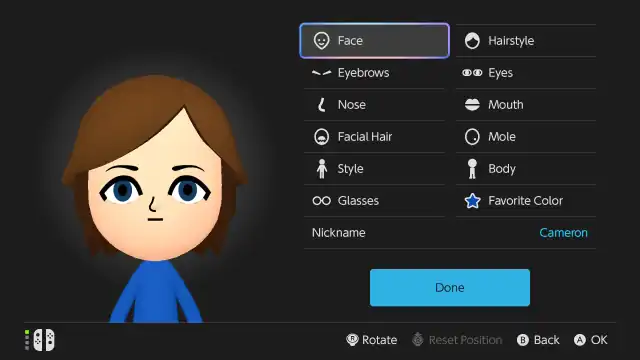
- Basic Dark theme is now supported.
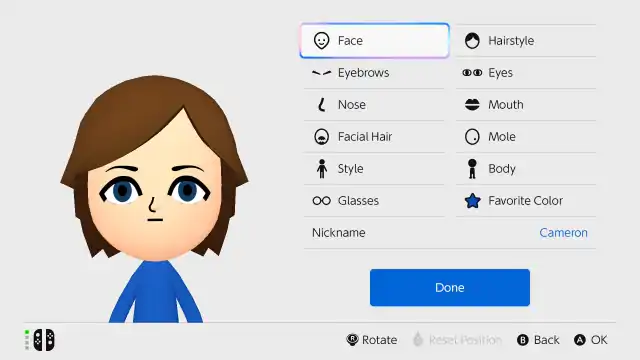
- Miis will now appear on the left during the creation/edit process similar to past Mii creation software.
- First Mii editor on a Nintendo platform without a new shader.
- Face textures now have a higher resolution, confirming the system does have its own iteration of the Face Library.
- First Mii editor since Miitomo and Wii U's Mii Maker to support QR Code scanning and creation (added in system update 23.0.0)
- QR Codes of Special Miis can no longer be scanned.
- First Mii editor since Miitopia (2016) to feature native background music; users can select three tracks from previous generations of major Mii editors (added in system update 23.0.0)
- Sound effects are slightly different.
- Certain face part icons have been redesigned.
- Horizontal hair flip is now mapped to the Y button.
- Gender has been replaced with 'style', though a disclaimer that it may be used as an indicator for gender in certain software is included.
- Gender icons are replaced with sprites of the default male and female Miis when starting from scratch/choosing a lookalike, however new gender icons can still be seen when selecting a style within the editor.
- Certain UI elements such as position icons are now much larger likely for Joy-Con 2 mouse controls.
- Position icon arrows are now blue.
- Body slider moves much faster.
- The Mii character count is now hidden, but the limit is still 100.
- When choosing a lookalike Mii, all available Miis are initially displayed as male. After selecting one, you’ll then be prompted to choose a style.